
Who is QuickHMI for?
Machine builders · Plant builders and integrators · Operators · Private and Education · Everyone else
QuickHMI – web-based HMI/SCADA, unlimited runtimes included.
Whether you build machines in series, construct plants for operators or visualise your own plant: here you find how QuickHMI fits into your daily work and what the licensing model means for you.
For machine builders
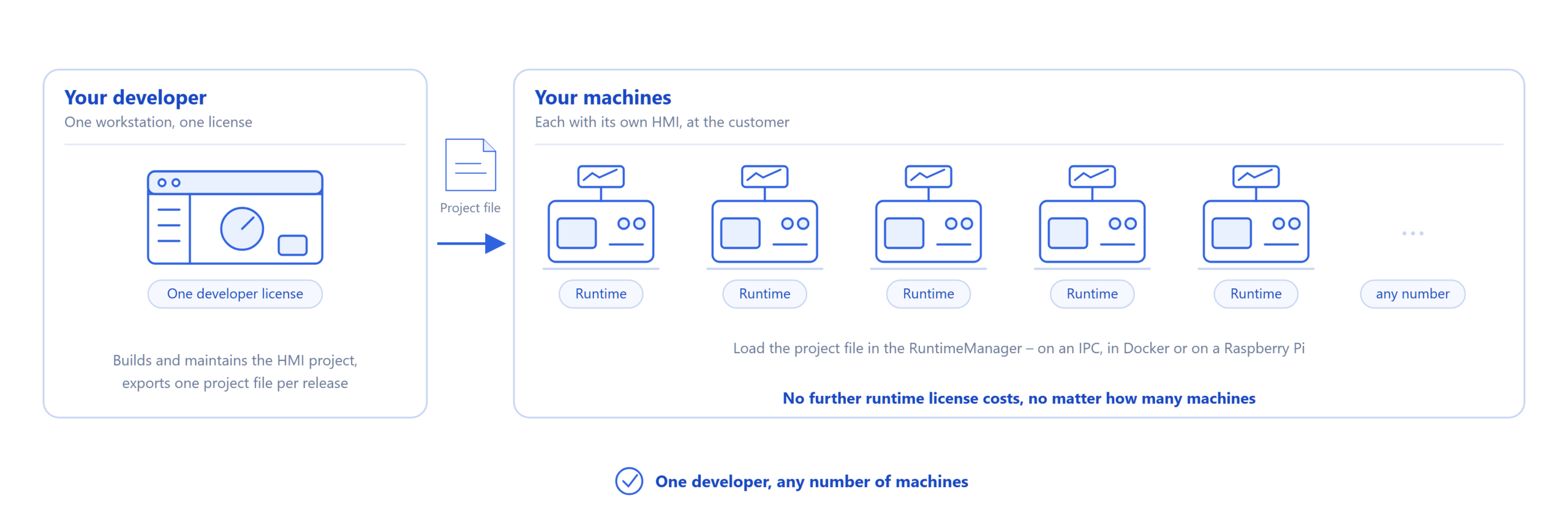
You deliver machines in series. Each machine gets its own HMI, and each one goes to a different customer. The QuickHMI licensing model is made for exactly this case: you license your developer's workstation, not the machine.
What licenses does my customer need?
No runtime license costs are incurred for operation, for one machine just as for a hundred. Your customer operates the HMI in the browser, in the viewer or via the app. A developer license is only needed if they want to change the project themselves.
Can I deliver the HMI in my own design?
Yes. From the Ultimate Edition you adapt the runtime interface to your corporate design, via CSS down to every single element.
What hardware does it run on in the machine?
On a Windows or Linux IPC, in a Docker container or on a Raspberry Pi 4 or 5 with the ready-made image. Operation works on any device with a browser, from panel PC to tablet.
How does the project get onto the machine, and how do updates get there?
Your developer exports the project from the editor as an export file and loads it in the machine's RuntimeManager. An update works the same way: new export file, load it, done.
What does it cost for 30 machines a year?
The same as for one. A developer with the Ultimate Edition pays a one-time fee of 1.890,00 € net plus VAT. Twelve months of updates and support are included. No further runtime license costs are incurred for each additional machine. The license is valid indefinitely, including for all delivered machines.
Which edition you need depends on your specific requirements for data sources and features, see Edition Overview.
For plant builders and integrators
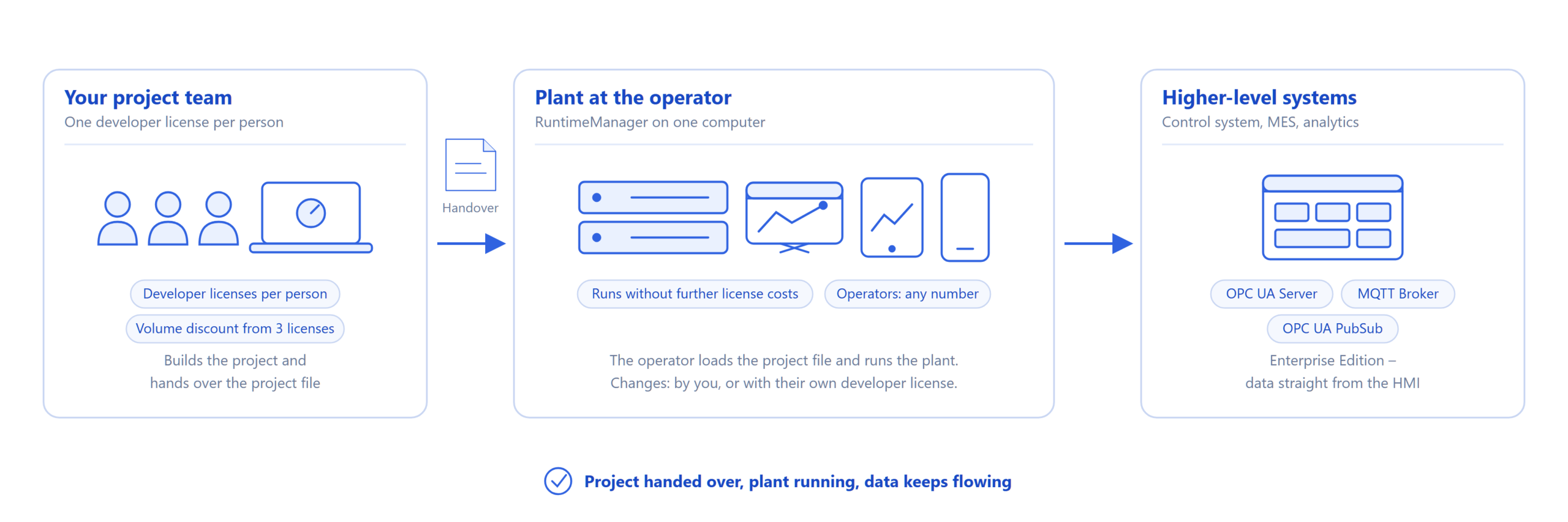
You build few but large plants. The plant stays with the operator, you hand over the project and often remain on board as a service provider.
Who needs the developer license?
The people who work in the editor, in other words your project team. No runtime license costs are incurred for operating the plant at the operator.
What happens at handover?
You hand over the exported project, the operator loads it in the RuntimeManager and runs it without further license costs. If they later want to make changes themselves, they buy their own developer license. Until then, you remain the contact for adjustments.
How many operators may access at the same time?
Any number, in the browser, in the viewer and via the app with push notifications. Variables, pages, alarms and data sources are not limited either.
How does the data get into the control system or MES?
With the Enterprise Edition, QuickHMI becomes a data hub: OPC UA server, MQTT broker and OPC UA PubSub are built in. Higher-level systems access the HMI directly, without additional middleware. You define what goes out, down to the individual variable.
Several projects on one computer?
From the Ultimate Edition, several projects run simultaneously in the RuntimeManager.
What does it cost for a team?
One developer license per person in the project team costs a one-time fee of 1.490,00 € net plus VAT in the Standard Edition. From three licenses the volume discount applies, see Price Overview. With this you visualise any number of plants for any number of operators, nothing is charged per plant. For larger teams the company license covers all developers of your company. In the Standard Edition it costs a one-time fee of 5.295,00 € net plus VAT.
Which edition you need depends on your specific requirements for data sources and features, see Edition Overview.
For operators
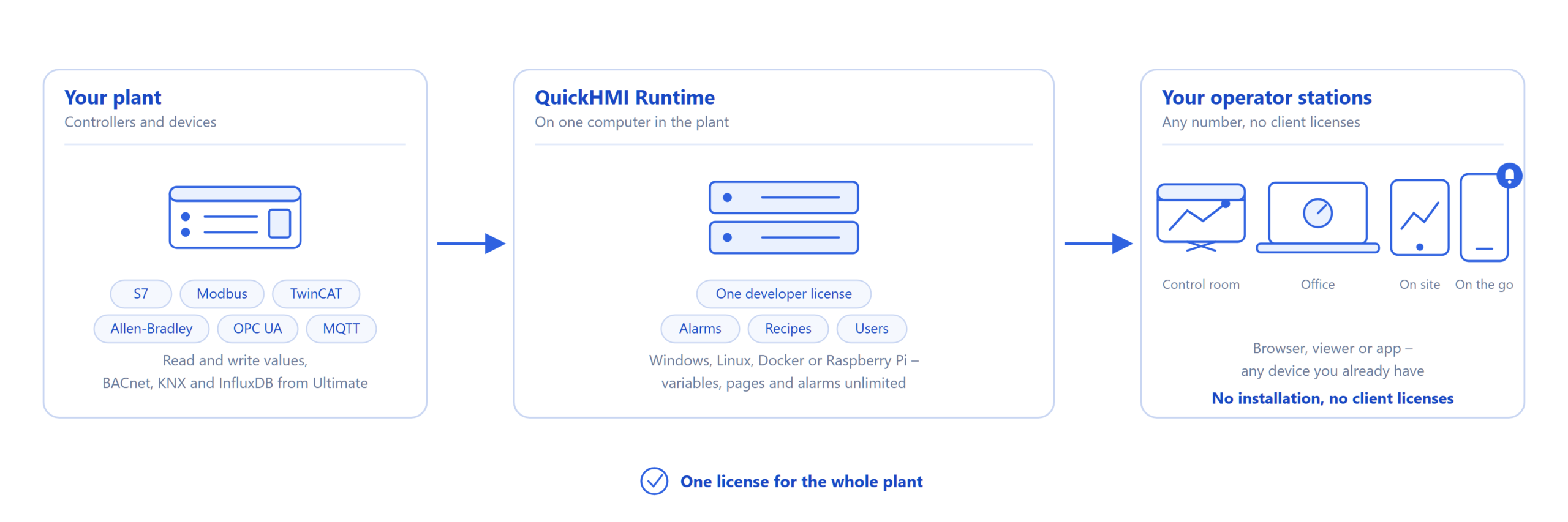
You have a plant, a building or an energy system and want to keep an eye on it yourself, at the operator station, in the office and on the go.
Can I do it myself, without a programmer?
Yes. The editor works graphically, you drag controls onto the page and connect them to your variables. Controls can be generated from a description with AI assistance, and you see your project at any time exactly as it will later look in the browser.
What does the whole plant cost me?
One developer license. The Standard Edition costs a one-time fee of 1.490,00 € net plus VAT, with all the variables, pages, alarms and operator stations you need. User management, permission system, recipe management and app access are included.
Which edition you need depends on your specific requirements for data sources and features, see Edition Overview.
Can I access it on the go?
Yes, in the browser and via the app for Android and iOS, with push notifications for alarms.
Which devices can I connect?
Siemens S7, Modbus, Beckhoff TwinCAT, Allen-Bradley, OPC UA, MQTT, databases and web services in the Standard Edition. BACnet, KNX and InfluxDB are added from the Ultimate Edition.
What happens after the first year?
Nothing that affects your plant. The license is valid indefinitely. Twelve months of updates and support are included, after that you decide for yourself whether to renew the maintenance plan. Without renewal everything keeps running, you just no longer receive new versions or support.
Example: one plant, five operator stations, app access for the on-call service: one developer license, no further runtime license costs. The five operator stations and the app cost nothing extra.
For private use and education
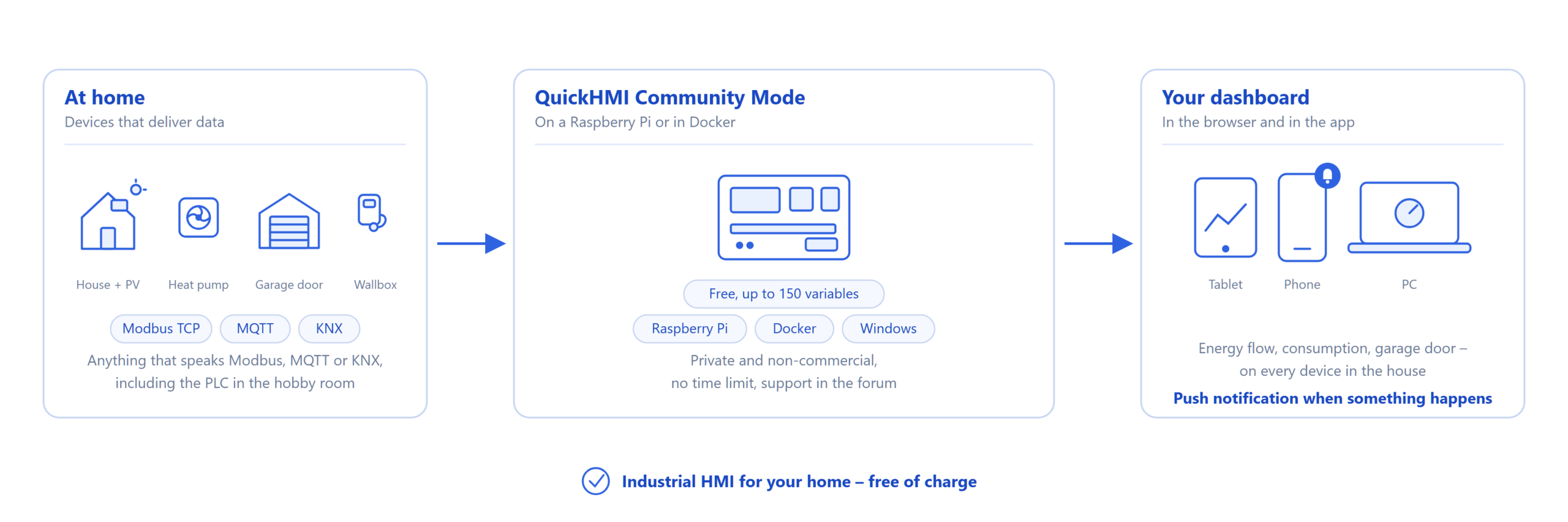
Training, studies and hobby: this is what the Community Mode is for, free of charge and without time limit, with up to 150 variables and support via the community forum. The onboarding webinars are open without a license as well.
And everyone else?
You build test rigs, run a laboratory, teach, or have a case that fits none of the groups? Then the onboarding webinar is the fastest way to get to know QuickHMI with your specific question. For a formal quote or an assessment of your project, write to us.
All prices net plus statutory VAT. Sales exclusively to businesses. All editions and prices: Price Overview and Feature Overview.


