
How QuickHMI works
QuickHMI – web-based HMI/SCADA, unlimited runtimes included.
This page shows the complete path from idea to running visualization – four steps.
The software is usually installed on two computers: the Editor on the project planning PC, and the RuntimeManager on the system that provides the visualisation – supplemented by the Recipe Editor where required.
All operator terminals, however, regardless of how many there are, require only a web browser or, alternatively, the QuickHMI Viewer.
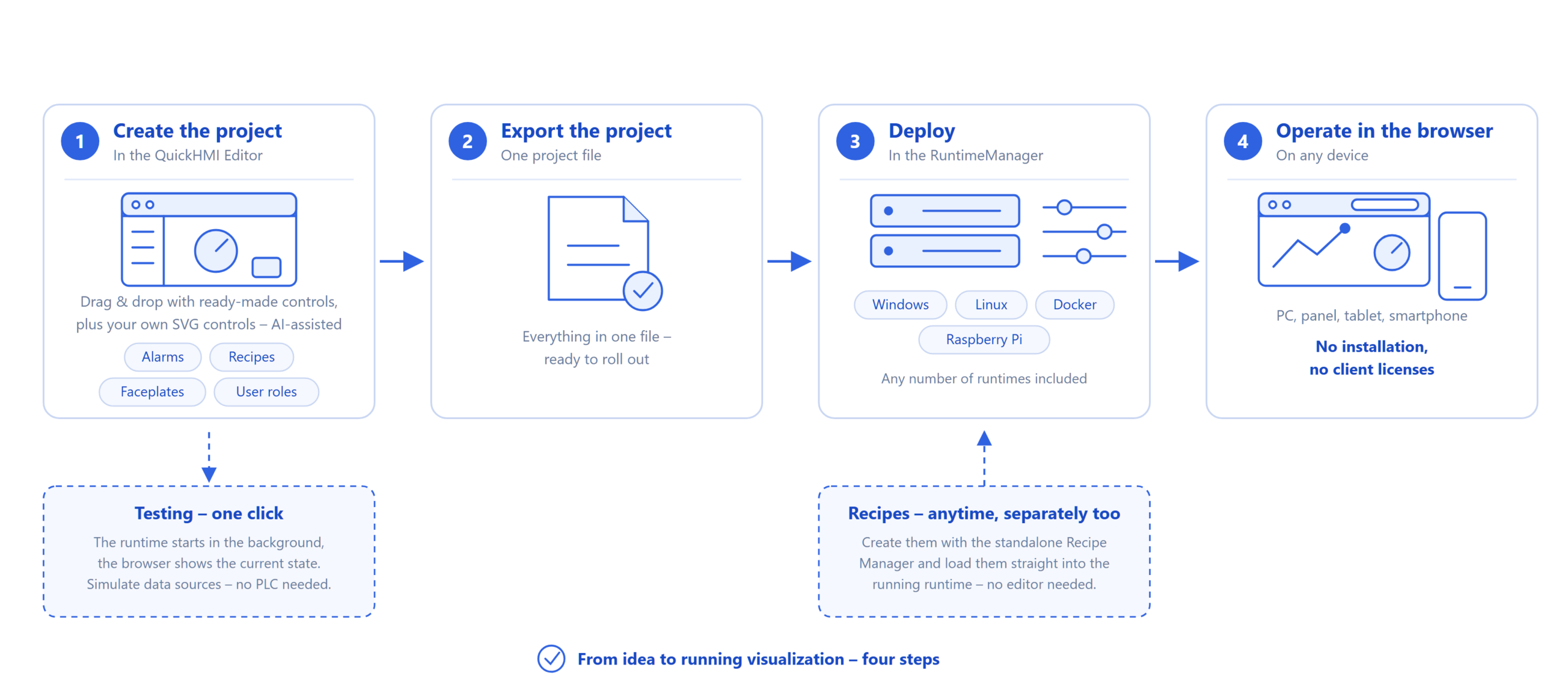
Step 1 – The project is created in the editor
Your project takes shape in the QuickHMI Editor on Windows: create pages, place controls by drag & drop, connect data sources – from Siemens S7, Modbus, TwinCAT and OPC UA to MQTT, BACnet and KNX.
Ready-made controls get you there without any drawing work, and you can easily create your own SVG-based controls – with AI assistance if you like.
Need more? Add alarms, recipes, faceplates and user roles – all within the same project.
Want to test as you go? One click in the Editor starts the runtime in the background and opens the current state right in your browser. All data sources can be simulated – no connected PLC required for testing.
Step 2 – One file, ready to go
From the Editor you export the complete project as a single file. Everything is in there: pages, variables, data sources, rules – ready to roll out.
Step 3 – Deploy wherever you want
Load the project file into the RuntimeManager – on a Windows machine, a Linux system, in a Docker container or on a Raspberry Pi. There you configure access and start the runtime.
Any number of runtime environments is included; whether one plant or twenty, the license price stays the same.
Step 4 – Open, don't install
Operation happens in the browser: on the control-room PC, the panel, a tablet or a smartphone – or, if you prefer, in the viewer or the mobile app.
Nothing is installed and nothing is licensed on the operating devices. Adding a new operator station means: open the address, log in, done.
Recipes – anytime, separately too
Recipes don't have to be part of the project: with the standalone Recipe Manager you can create and maintain recipes at any later point and load them straight into the running runtime – no Editor needed.
Try it yourself
Three ways, depending on where you are: download the trial version as a free download,
use the Community Mode – free for private projects,
or watch QuickHMI live in the free Onboarding session.